> ## Documentation Index
> Fetch the complete documentation index at: https://apidocs.mossx.ai/llms.txt
> Use this file to discover all available pages before exploring further.

# Jetbrains CC GUI 使用

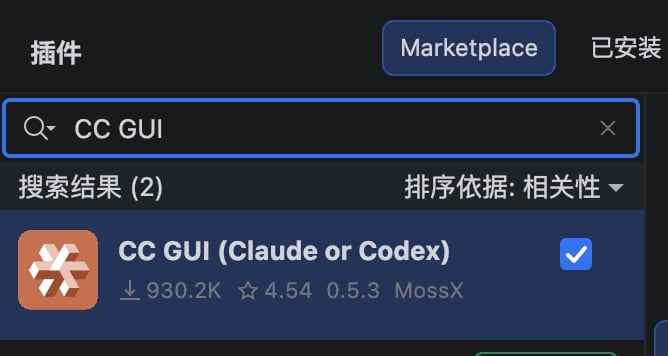
#### 1.下载安装

市场搜索 CC GUI 下载安装即可

<Frame>
  <img src="https://mintcdn.com/docs-api/PwEYLgoL0kxVdcuq/images/image-2.png?fit=max&auto=format&n=PwEYLgoL0kxVdcuq&q=85&s=b005d0125484b62320b3b88a5efcdd51" alt="Image" width="668" height="356" data-path="images/image-2.png" />
</Frame>

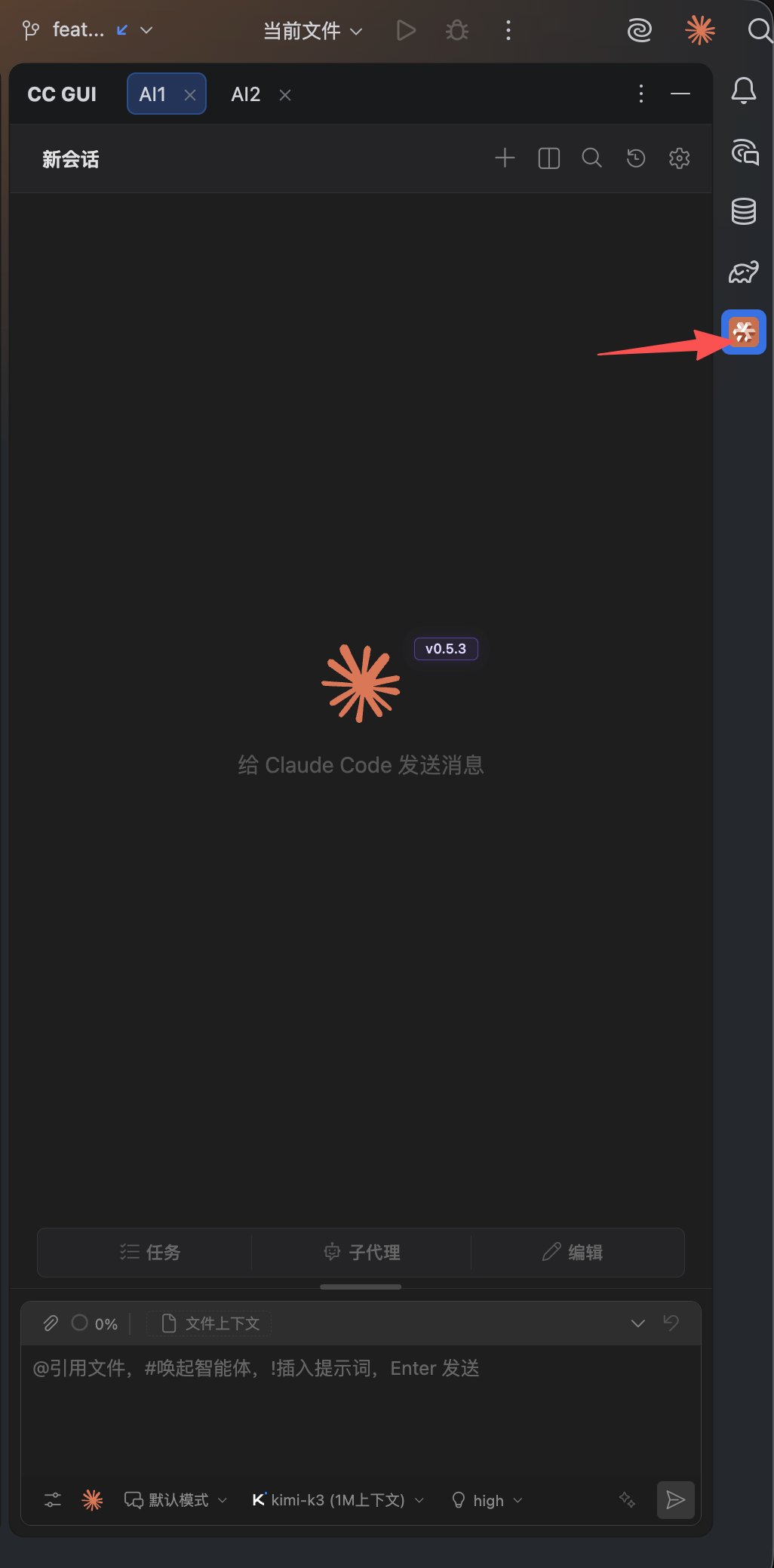
#### 2.插件触发位置

<Frame>
  <img src="https://mintcdn.com/docs-api/PwEYLgoL0kxVdcuq/images/image-3.png?fit=max&auto=format&n=PwEYLgoL0kxVdcuq&q=85&s=5b2e09282afa2ff1cedaac77e298381f" alt="Image" title="Image" style={{ width:"56%" }} width="1026" height="2078" data-path="images/image-3.png" />
</Frame>

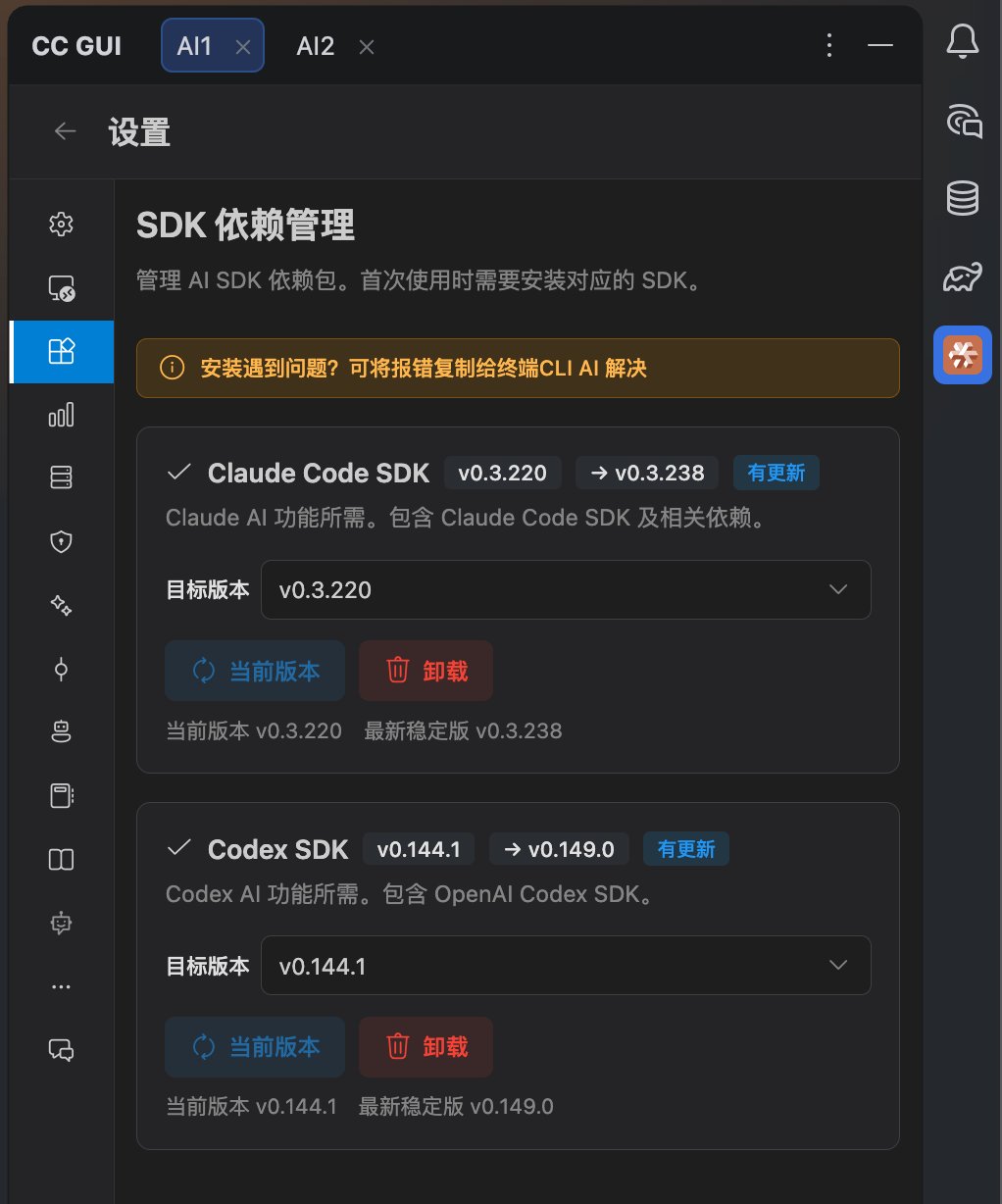
#### 3.安装SDK

来这里根据指引 下载一下SDK

备注：CLI 和 SDK 都是官方出的东西，底层都调通了同一个二进制程序，但是上层不一样，所以如果你安装了CLI，没有安装SDK，是无法使用本插件的

<Frame>
  <img src="https://mintcdn.com/docs-api/PwEYLgoL0kxVdcuq/images/image-5.png?fit=max&auto=format&n=PwEYLgoL0kxVdcuq&q=85&s=892269b5b34a23a34490bd985874a8a6" alt="Image" title="Image" style={{ width:"58%" }} width="1022" height="1228" data-path="images/image-5.png" />
</Frame>

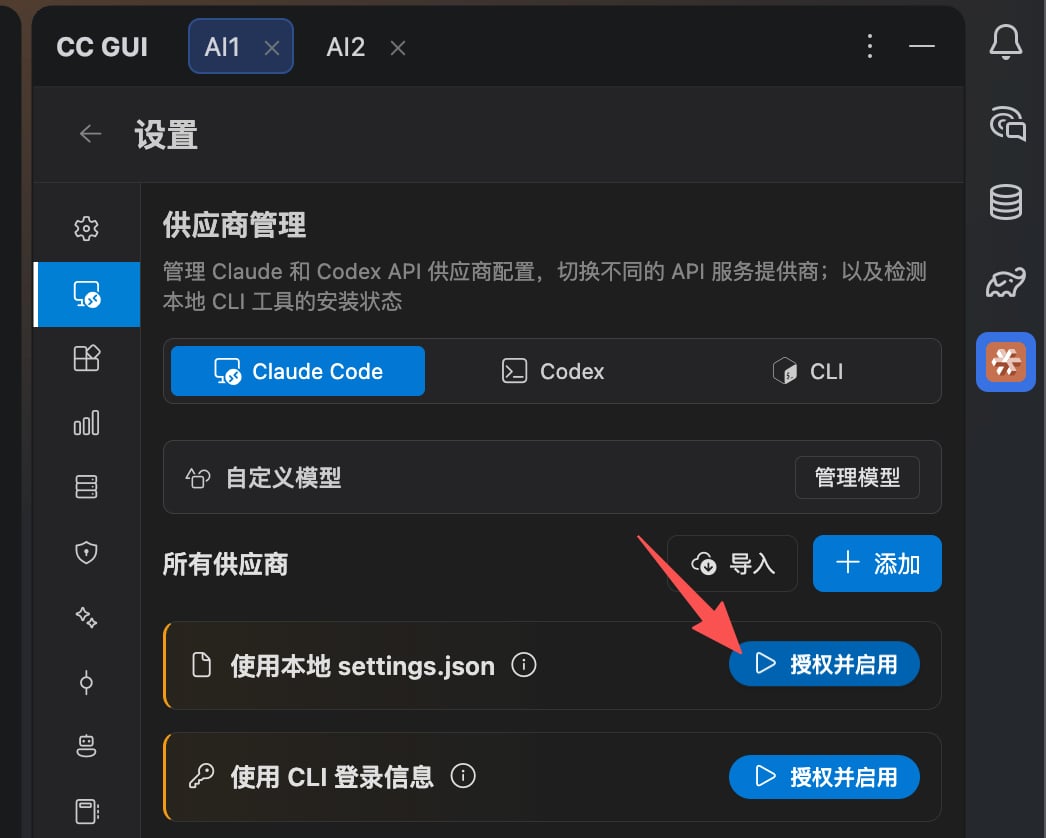
#### 4.配置key信息

从右上角进入设置页面 - 供应商管理 点击这个 授权并启用 即可
<Frame>
  <img src="https://mintcdn.com/docs-api/PwEYLgoL0kxVdcuq/images/image-4.png?fit=max&auto=format&n=PwEYLgoL0kxVdcuq&q=85&s=b8645c1f76e4dc1a565d34dedfb63c58" alt="Image" title="Image" style={{ width:"81%" }} width="1046" height="838" data-path="images/image-4.png" />
</Frame>

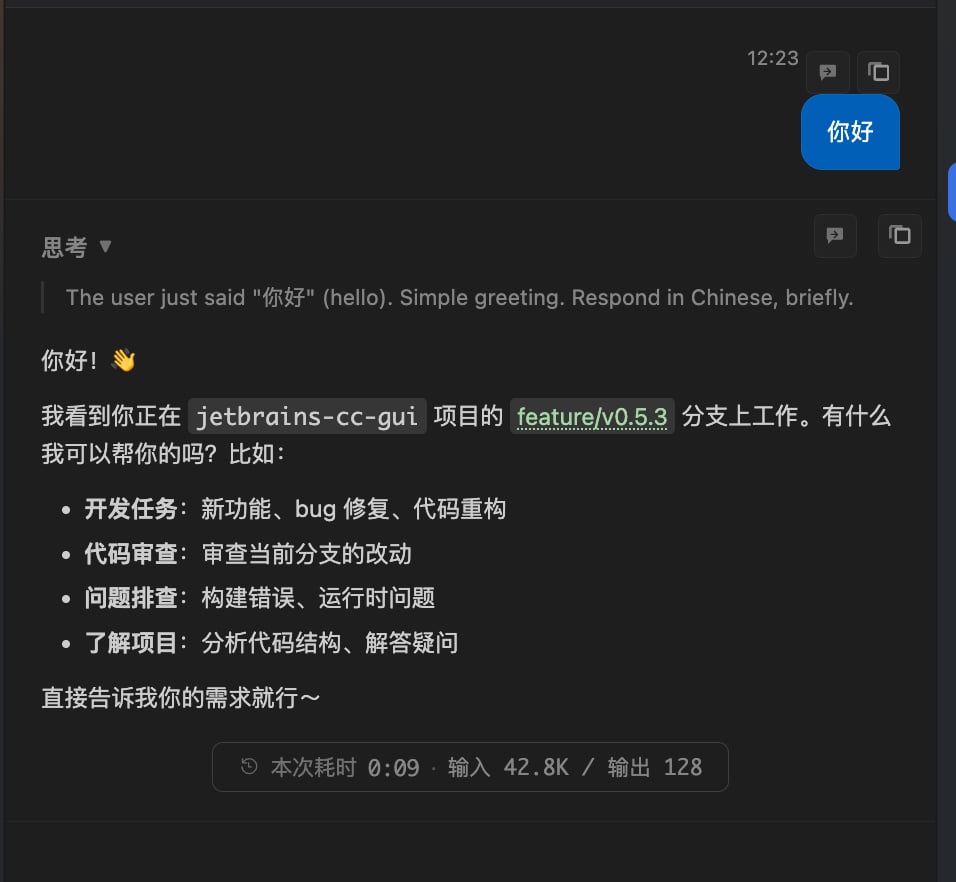
#### 5.回到首页提问

<Frame>
  <img src="https://mintcdn.com/docs-api/PwEYLgoL0kxVdcuq/images/image-6.png?fit=max&auto=format&n=PwEYLgoL0kxVdcuq&q=85&s=e51710e92effdd66dba4453df347f161" alt="Image" title="Image" style={{ width:"70%" }} width="956" height="882" data-path="images/image-6.png" />
</Frame>