> ## Documentation Index
> Fetch the complete documentation index at: https://apidocs.mossx.ai/llms.txt
> Use this file to discover all available pages before exploring further.

# Vscode CC GUI 使用

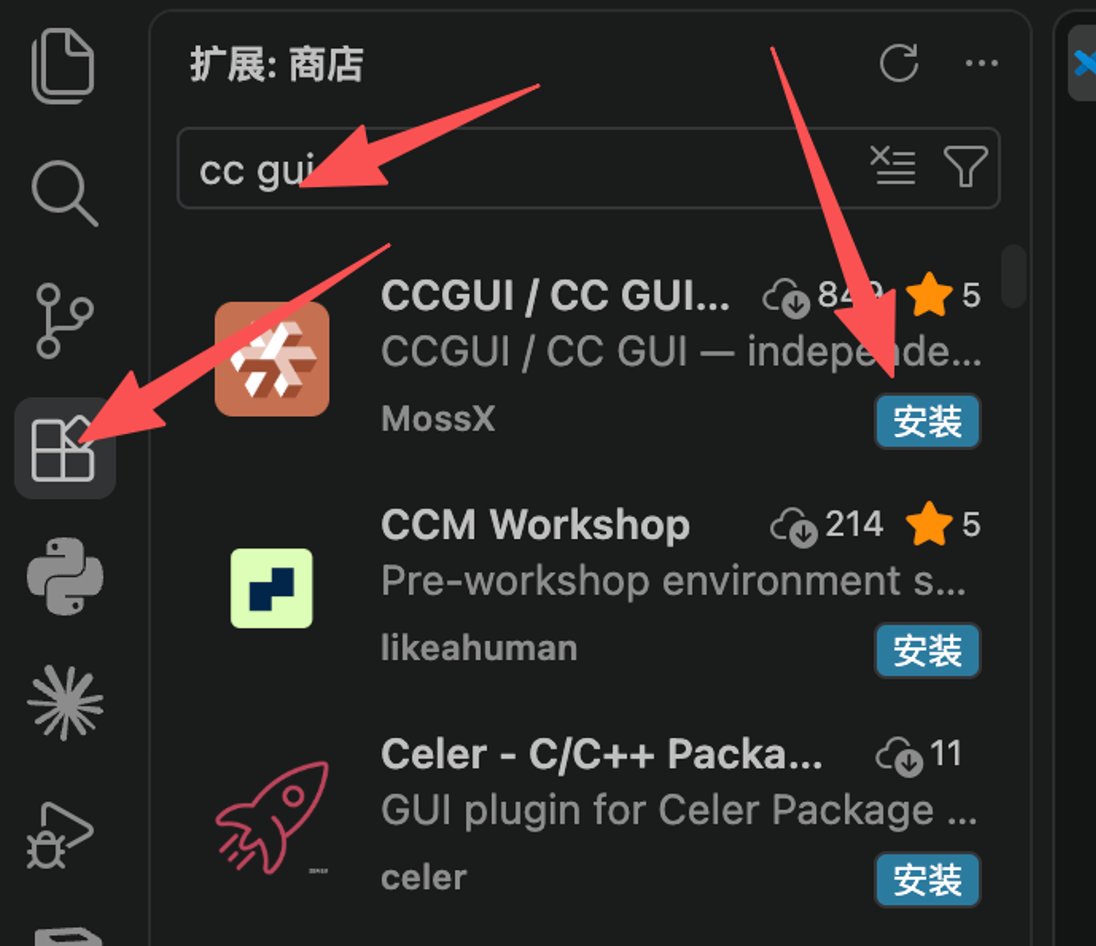
#### 1.下载安装

市场搜索 CC GUI 下载安装即可

<Frame>
  <img src="https://mintcdn.com/docs-api/PwEYLgoL0kxVdcuq/images/ScreenShot_2026-08-21_122845_894.png?fit=max&auto=format&n=PwEYLgoL0kxVdcuq&q=85&s=1305d284086bfc825f9d6f5e6c5eec11" alt="Screen Shot 2026 08 21 122845 894" title="Screen Shot 2026 08 21 122845 894" style={{ width:"61%" }} width="1096" height="946" data-path="images/ScreenShot_2026-08-21_122845_894.png" />
</Frame>

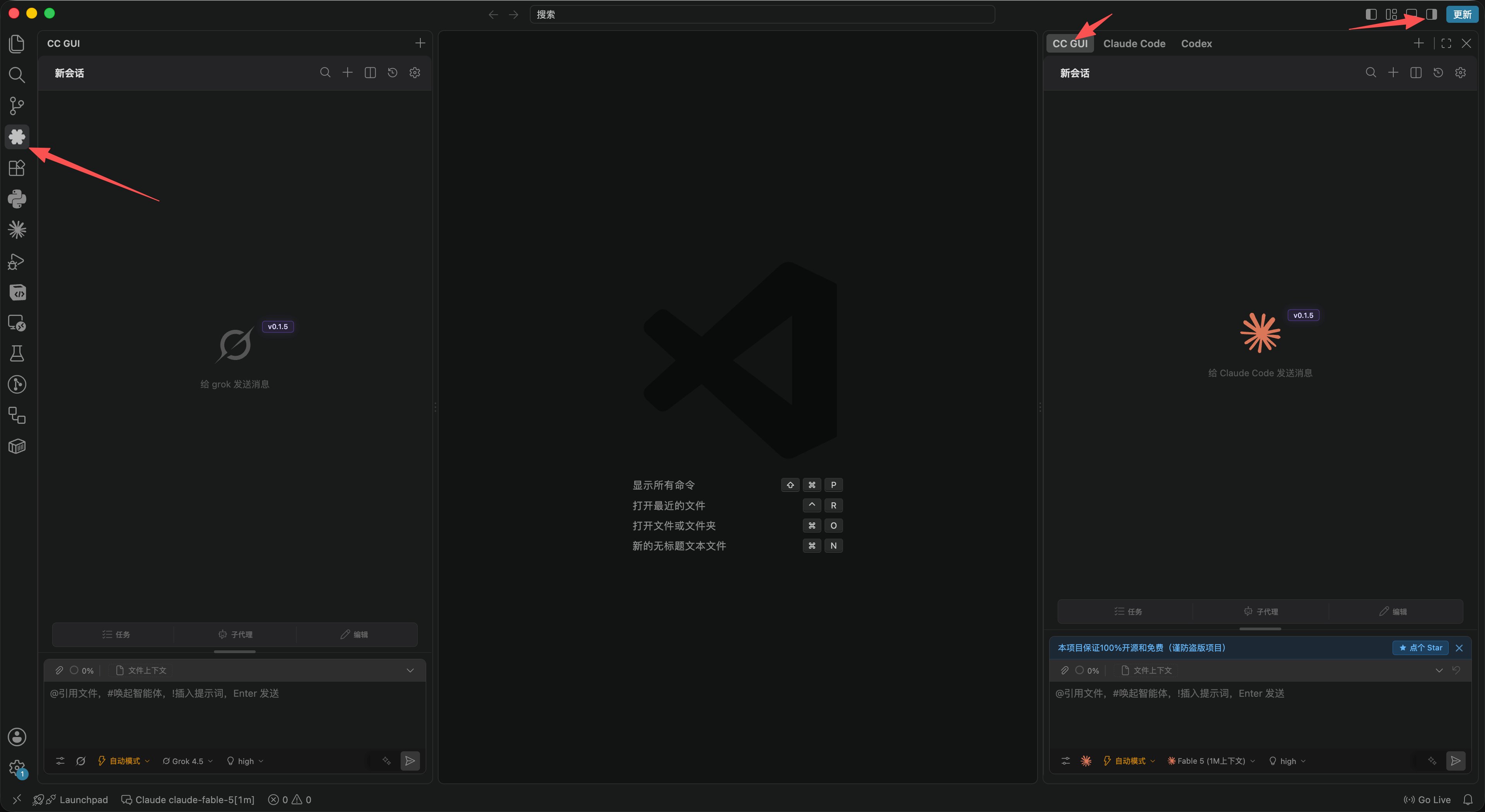
#### 2.插件触发位置

<Frame>
  <img src="https://mintcdn.com/docs-api/PwEYLgoL0kxVdcuq/images/ScreenShot_2026-08-21_123100_319.png?fit=max&auto=format&n=PwEYLgoL0kxVdcuq&q=85&s=70411227af140aefdf2709a265d13b41" alt="Screen Shot 2026 08 21 123100 319" width="3840" height="2100" data-path="images/ScreenShot_2026-08-21_123100_319.png" />
</Frame>

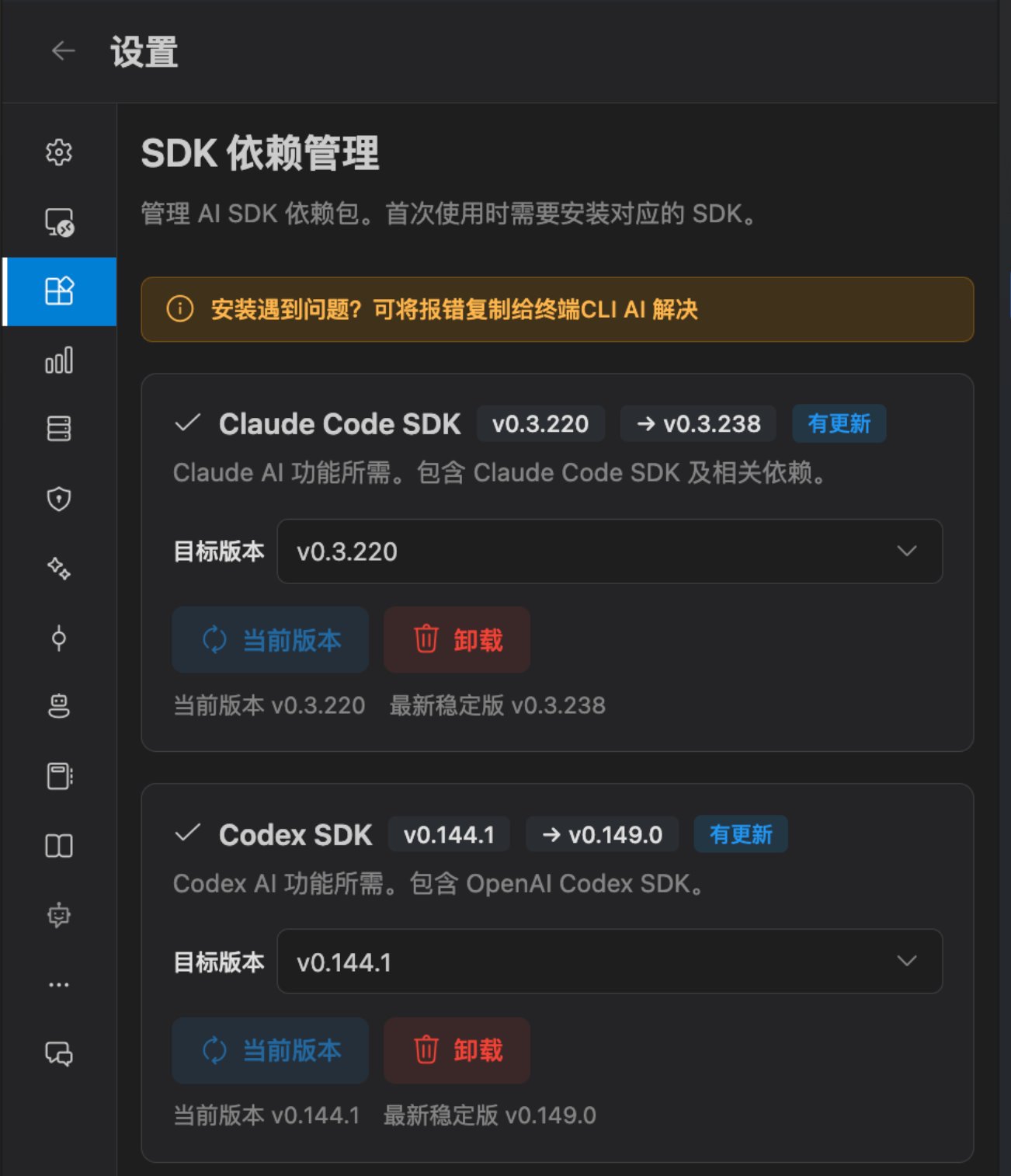
#### 3.安装SDK

来这里根据指引 下载一下SDK

备注：CLI 和 SDK 都是官方出的东西，底层都调通了同一个二进制程序，但是上层不一样，所以如果你安装了CLI，没有安装SDK，是无法使用本插件的

<Frame>
  <img src="https://mintcdn.com/docs-api/PwEYLgoL0kxVdcuq/images/ScreenShot_2026-08-21_123154_074.png?fit=max&auto=format&n=PwEYLgoL0kxVdcuq&q=85&s=84ddbad0fdaac07d405003a4d36419b7" alt="Screen Shot 2026 08 21 123154 074" title="Screen Shot 2026 08 21 123154 074" style={{ width:"62%" }} width="1302" height="1514" data-path="images/ScreenShot_2026-08-21_123154_074.png" />
</Frame>

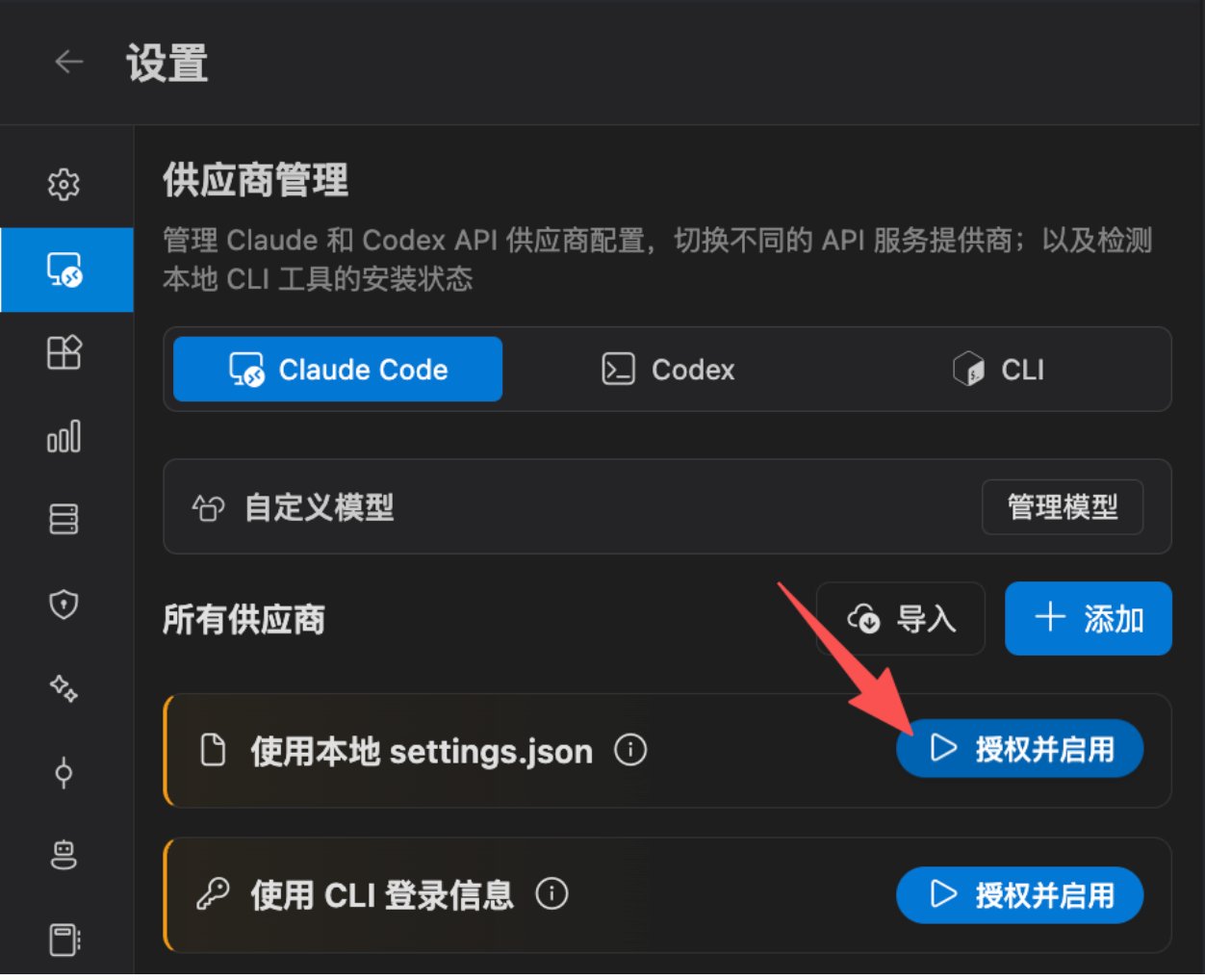
#### 4.配置key信息

从右上角进入设置页面 - 供应商管理 点击这个 授权并启用 即可
<Frame>
  <img src="https://mintcdn.com/docs-api/PwEYLgoL0kxVdcuq/images/ScreenShot_2026-08-21_123228_447.png?fit=max&auto=format&n=PwEYLgoL0kxVdcuq&q=85&s=f82c164eeccd7beb82b267e6e6f2ffd4" alt="Screen Shot 2026 08 21 123228 447" title="Screen Shot 2026 08 21 123228 447" style={{ width:"63%" }} width="1252" height="1018" data-path="images/ScreenShot_2026-08-21_123228_447.png" />
</Frame>

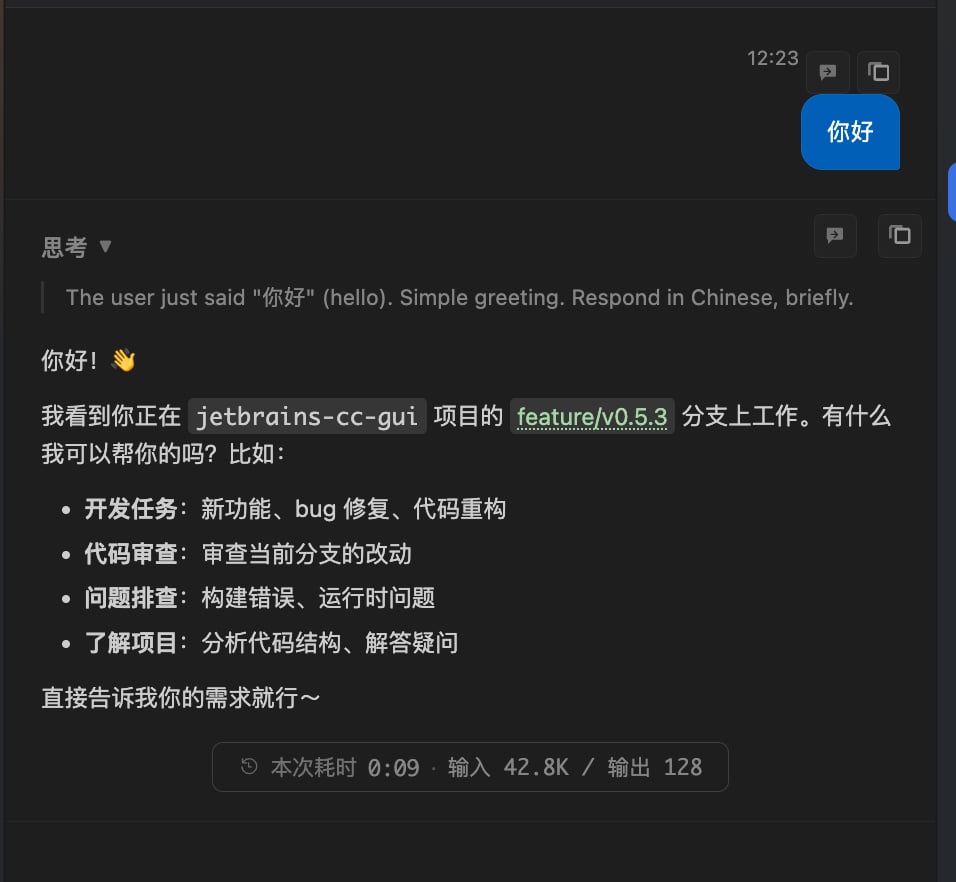
#### 5.回到首页提问

<Frame>
  <img src="https://mintcdn.com/docs-api/PwEYLgoL0kxVdcuq/images/image-6.png?fit=max&auto=format&n=PwEYLgoL0kxVdcuq&q=85&s=e51710e92effdd66dba4453df347f161" alt="Image" title="Image" style={{ width:"62%" }} width="956" height="882" data-path="images/image-6.png" />
</Frame>